

Autodesk Revit 2024 2025 2026 2027 Original License, 1-Year Subscription
- Availability: In Stock
- Brand: Autodesk
- Product Code: Autodesk Revit
-
$100.00
3 to 5 Business Days
Description
Autodesk® Revit® is a Building Information Modeling (BIM) software.
- Helps professionals design, build, and maintain higher-quality, more efficient buildings.
- Using the information-rich models created with Autodesk Revit software, architects, engineers, and construction firms can collaborate to make more-informed decisions earlier in the design process to deliver projects more efficiently.
- Any design changes made in Revit models are automatically updated throughout the model, keeping designs and documentation coordinated more reliable.
- Autodesk Revit includes features for architectural design, mechanical. electrical, and plumbing, structural engineering, and construction.
Key Features of AutoDesk Revit Software :
- Parametric components
- Place walls, doors, and windows in an open, grapical, parameter-rich system for design and form-making
- Worksharing Save, sync, review and update work to a centrally shared model in the Revit project collaboration environment
- Schedules Use tables to better capture, filter, sort, display and share project data
- Interoperability Revit imports, exports, and links with commonly used BIM and CAD file formats, including IFC, 3DM, SKP, OBJ and more
- Annotation Communicate design intent effectively with tools for tagging, dimensioning and illustrating in 2D and 3D
- Global parameters Embed design intent with project-wide parameters that work with radial and diameter dimensions and equality constraints
- Developer tools and solutions
- Extend Revit functionality with Dynamo, API access, developer solutions and BIM content on the Autodesk App Store
- Generative design in Revit
- Evaluate and compare design alternatives at scale with Generative Design in Revit
- Available exclusively to AEC Collection subscribers
Visibility settings and overrides:
- Control visibility by hiding, revealing and highlighting building elements
- Use overrides to customise appearance.
- Twinmotion for Revit Launch Twinmotion directly from Revit
- Sync design data and immerse yourself in the intuitive creator environment to bring your design to life as photo-realistic stills, scenes and animations
- Standard and custom family content
- Load content from the Autodesk cloud into a Revit project or create your own libraries of building components
- Personalisation and customisation
- Customise the user interface to fit, with configurable keyboard shortcuts, ribbons and toolbars
Related Products
AboutOfficial Adobe License: 100% genuine 1-year subscription, 1 User Shared AccountComplete Creative Suite: Full access to 20+ desktop and mobile apps, including Photoshop, Illustrator, Premiere Pro, InDesign, and After Effects.Generative AI Power: ..
$299.00
DescriptionRetopology toolsAutomatically reconstruct polygonal mesh data as clean, quad-based topology with amazing accuracy.Modifier stack workflowExplore design ideas using a range of modifiers that can non-destructively enhance your creations.Inte..
$100.00

DescriptionSite and survey workflowsDownload, create, analyze, and adjust survey data, as well as transfer field-captured data to the officeTerrain modelingCreate digital models of topography for land-use studies, transportation system planning, and ..
$100.00
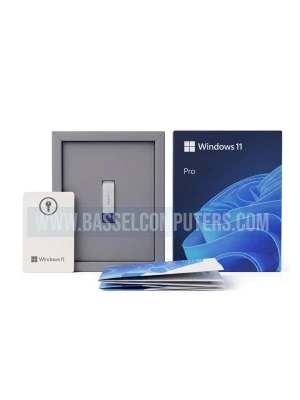
Microsoft Windows 11 Pro Retail Kit (USB Included)Upgrade your PC with the genuine Microsoft Windows 11 Pro Retail Kit, complete with a bootable USB installation drive and an original retail product key. Designed for professionals, businesses, and po..
$60.00
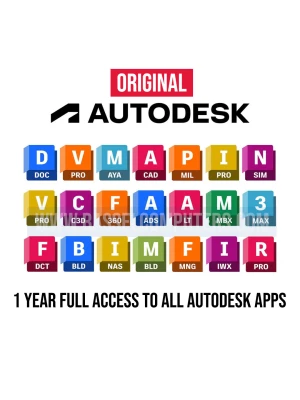
Unlock the full creative and engineering power of the Autodesk All Apps suite with a 1-year subscription. Get instant access to industry-leading software including AutoCAD, Revit, Maya, and 3ds Max. Perfect for professionals seeking a comprehensive, ..
$180.00
AboutOfficial Adobe License: 100% genuine 1-year subscription, 2 User Private AccountComplete Creative Suite: Full access to 20+ desktop and mobile apps, including Photoshop, Illustrator, Premiere Pro, InDesign, and After Effects.Generative AI Power:..
$499.00